
Secrest Direct Inc. is an independent Landstar agent (DUV/RKY).
| Questions? 877-441-9128 | Contact | Application Login |
Home » Owner-Operator Load Board
The Load Board is one of the tools Landstar business capacity owners use to evaluate available freight and decide what fits their businesses.
Review where freight picks up, where it delivers, the equipment required, mileage, timing and current load information before deciding what fits your operation.
This page brings Load Board search, filters, Load Alerts, mobile access and freight-planning tools together in one place.
●●●
Demo
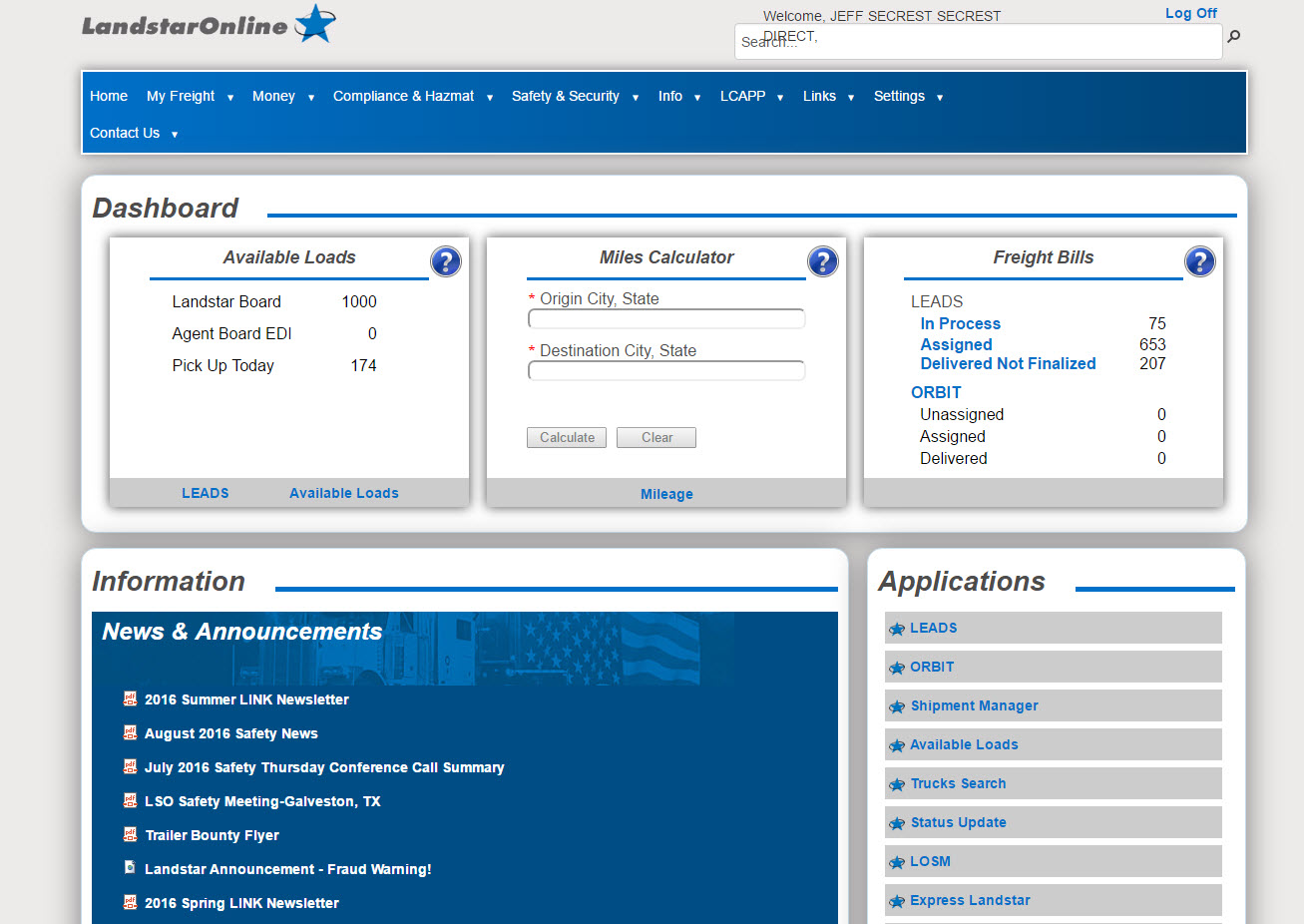
For an owner-operator leased to Landstar, the Load Board is a secured freight-search and planning tool. It allows eligible users to review available Landstar freight and narrow what they see according to criteria relevant to their operation.
Non-forced dispatch does not mean every available load is automatically a good load for your business. The owner-operator still evaluates pickup, destination, loaded and deadhead miles, equipment, timing, rate information and where the truck may be positioned next.
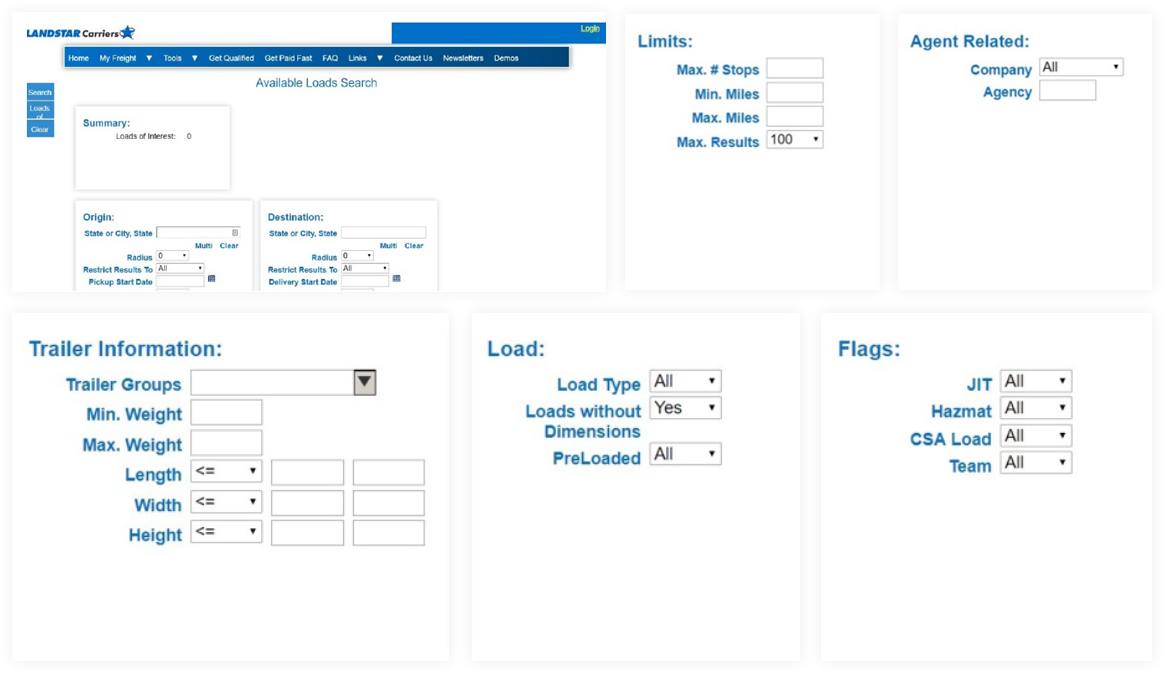
Example LandstarOnline dashboard shown for general context. Current tools, available freight data and account access may vary.
A useful freight search reduces the amount of irrelevant information an owner-operator has to review. Current interfaces can change, but the core business questions stay similar.
Use rate information as one input—not the entire decision. The complete trip still includes deadhead, timing, equipment requirements, operating cost and destination.
Where is the truck available?
How far will you reposition for pickup?
Where do you want the truck to finish?
Do the dates and windows fit?
What trip length fits the plan?
Are there additional pickup or delivery points?
What trailer or equipment is required?
Does the freight fit equipment limits?
What does the current load record show?
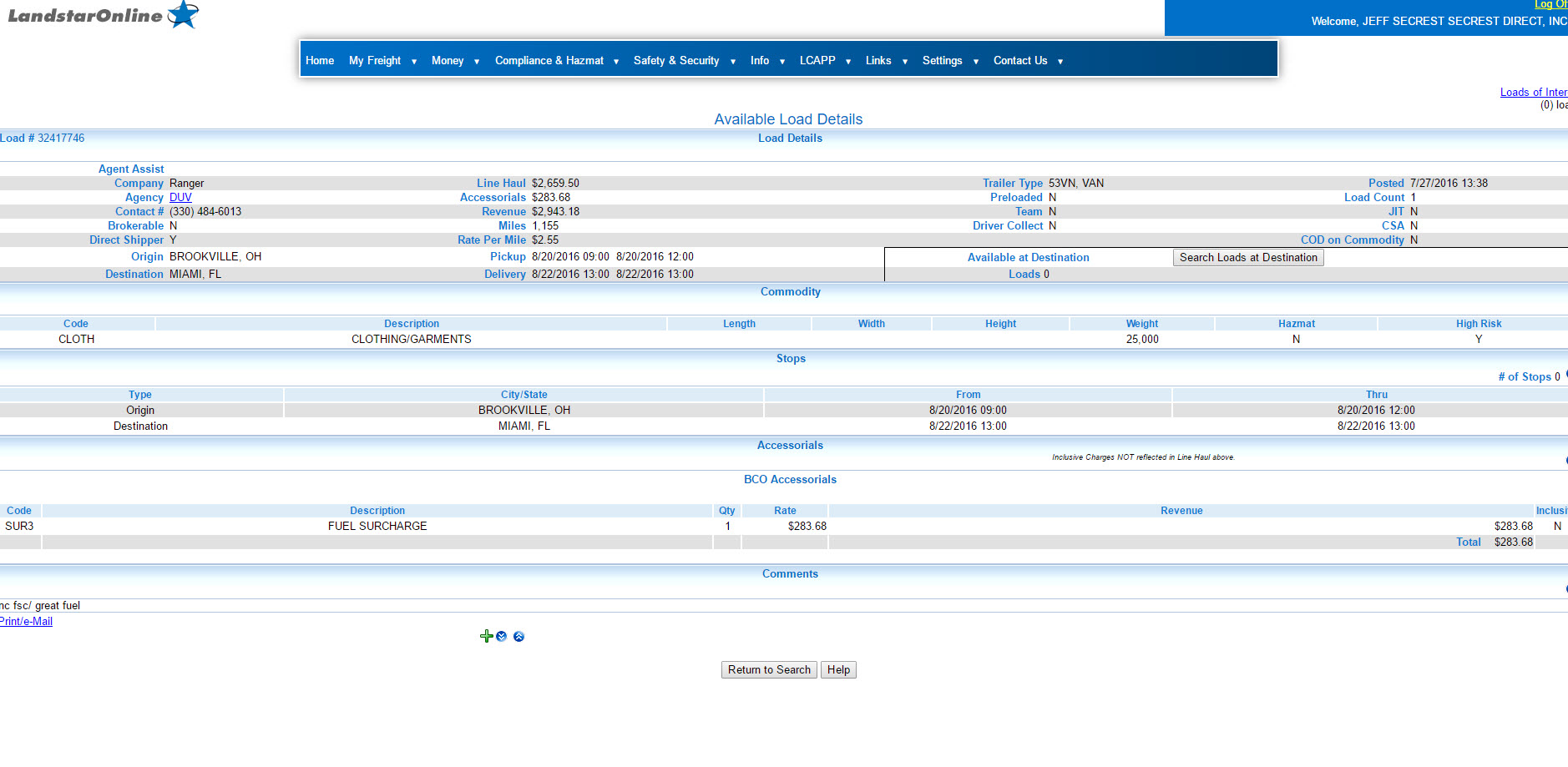
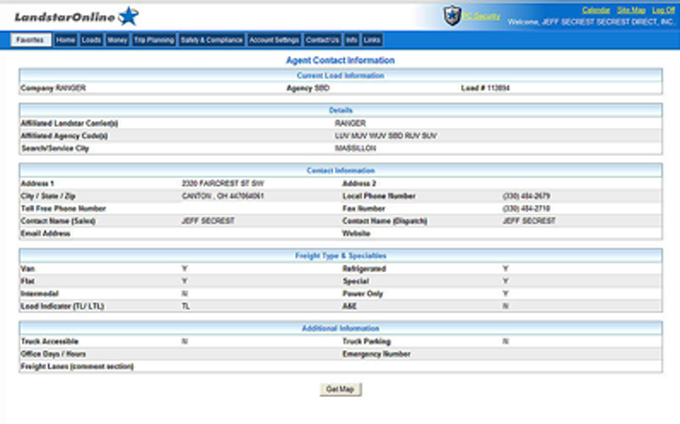
Existing load-detail reference from the current site. Verify current public-use imagery before launch.
Where freight begins and where the truck finishes.
Dates, times and scheduling requirements.
Loaded mileage or other mileage information shown.
Current compensation-related information associated with the freight.
Trailer, dimensions, weight or other operating requirements.
Additional pickup, delivery or handling locations.
Information for the Landstar agency associated with the freight when provided.
Other requirements that may affect whether the load fits.
A search result can look very different after you account for deadhead, timing, equipment, operating costs and the next market.
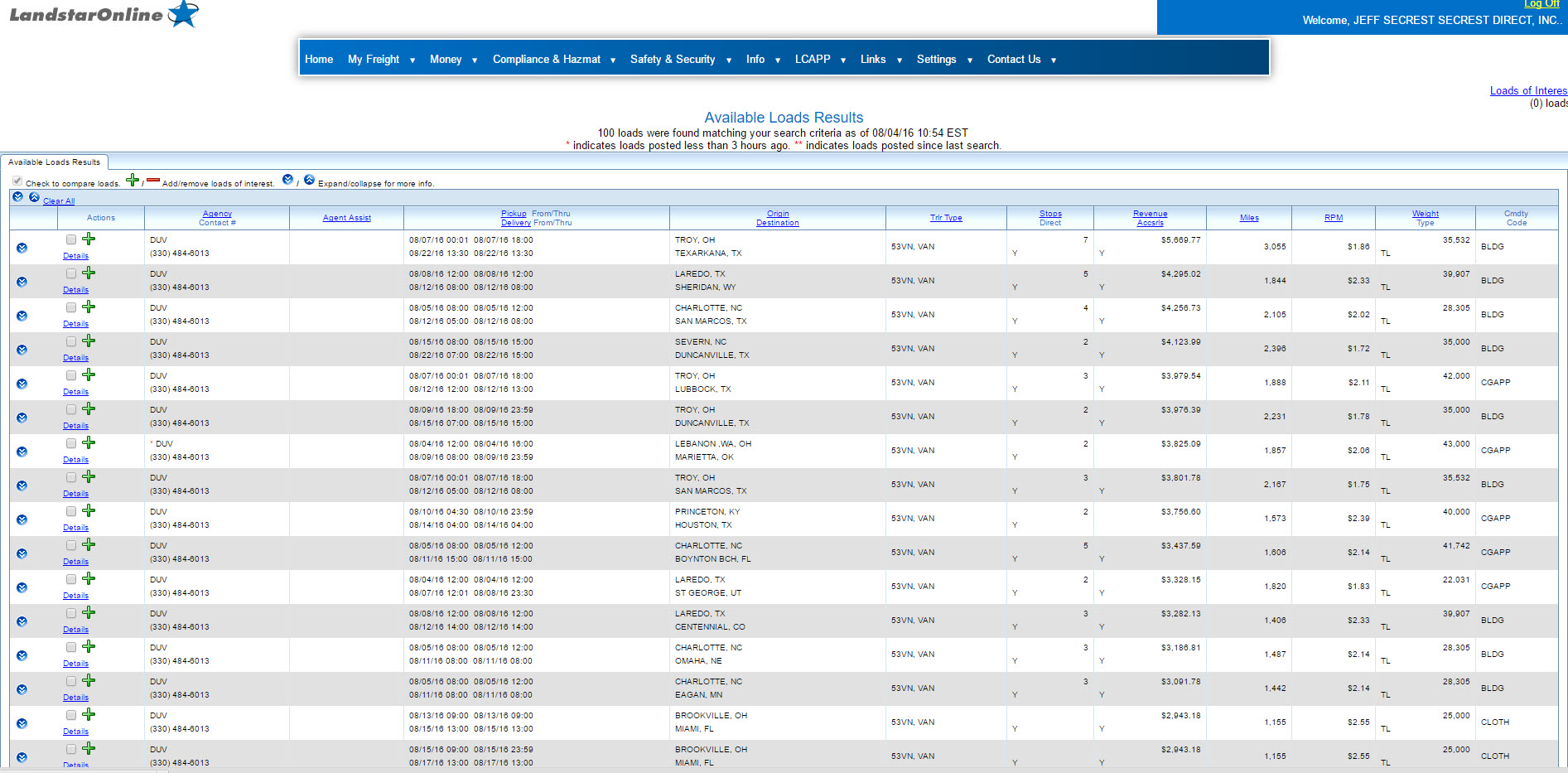
Search-results visual reused as a staging reference.
Repeatedly rebuilding the same search is not always the most efficient way to monitor freight. Load Alerts can help surface freight matching selected criteria when opportunities appear.
Start with criteria that reflect what you’re actually willing and equipped to haul.
Create a reusable starting point for freight you review regularly.
Use the current notification options available to eligible users.
An alert is a reason to review the freight—not an automatic reason to accept it.
Useful criteria can change with markets, equipment and operating priorities.
A saved search or Load Alert does not guarantee that matching freight will become available.
Each saved-search pattern should answer a different planning question instead of trying to cover every possibility at once.
Freight that fits the lanes or destinations you normally evaluate.
Freight that may help position the truck toward an area you want to return to.
Freight that fits the trailer or specialized equipment currently being operated.
A broader option when a preferred market is not producing an acceptable opportunity.
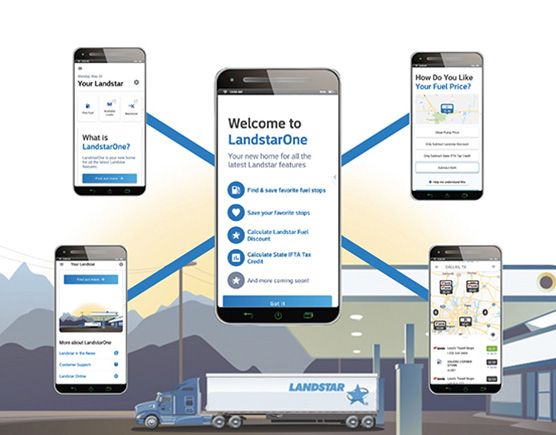
Current Landstar mobile information identifies LandstarOne® as a one-stop business app for eligible capacity providers. Mobile access matters because freight decisions do not always happen while you are sitting in front of a computer.
Review available freight and search criteria from a mobile device.
Open more information before deciding what to pursue.
Manage current notification preferences associated with freight searches.
Bring other Landstar business resources into the mobile environment.
Older NonForcedDispatch.com pages focused heavily on Maximizer. This hub preserves the related multi-leg planning intent while consolidating app content in one authoritative location. Confirm current terminology and interface assets before launch.
Freight planning becomes more useful when each movement is considered as part of a sequence instead of an isolated rate.
Where to begin, what does the trip require, and where does the truck finish?
What freight can fit the truck after delivery? Where can I pick up the next load?
How much non-revenue movement may exist between the next pick up?
Do the sequence, schedule, maintainance, and operating costs make sense together?
The current site already contains several useful Load Board visuals. These are carried into the mockup as staging references and should be updated if newer approved interface images are available.
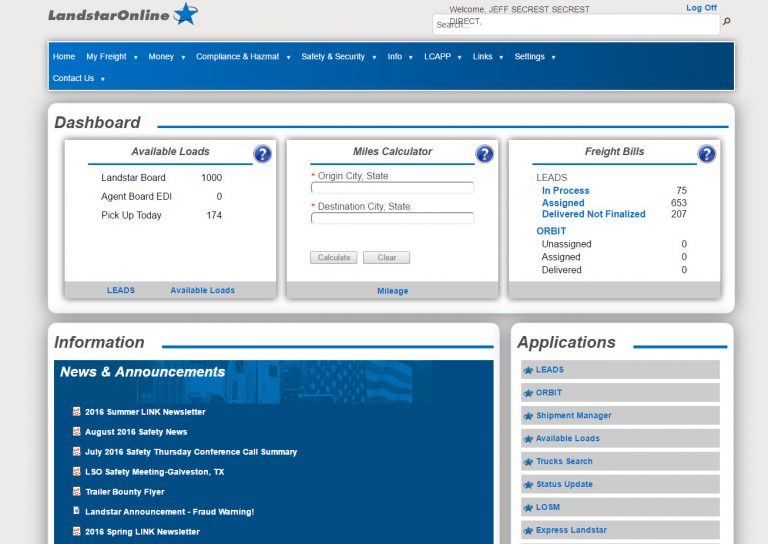
Search and navigation starting point.
Review freight matching the selected criteria.
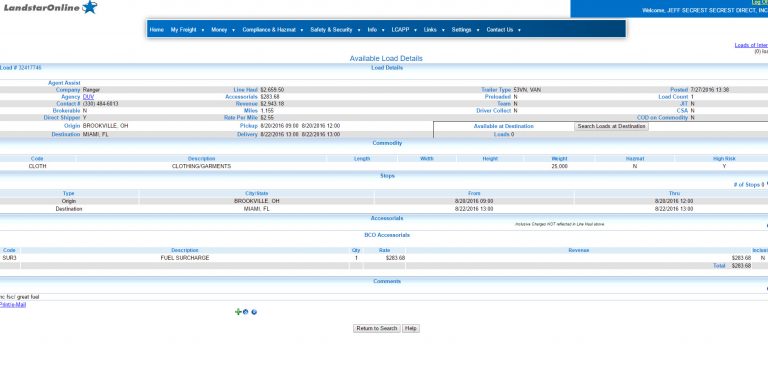
Move from a result row into the full load record.
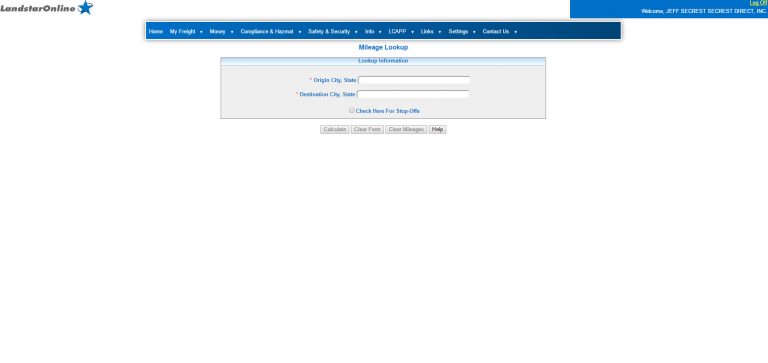
Use mileage information as part of trip planning.
Rate-per-mile information can help compare freight. It still does not tell the entire story.
Use the supporting pages below to move from compensation into freight planning, equipment, insurance, requirements and the formal application process.
Understand how freight search, load selection, destination, deadhead and available planning tools connect to the business.
See how dry van freight criteria, filters and load planning fit the equipment path.
Understand why trailer decisions can affect both compensation and expenses.
Review insurance information and the types of coverage that may affect operating expenses.
Learn about current purchasing programs that may help eligible owner-operators manage certain business costs.
Check current driver, tractor, documentation and qualification requirements before starting the formal process.
Reading about freight-search tools is useful. Seeing how the information is organized can make the business model easier to understand.
A demonstration is educational. It is not a promise about how much freight will be available in a future market or what any individual owner-operator will earn.
How searches begin and criteria narrow the results.
How location, mileage, equipment and timing affect what appears.
Where to look before committing the truck.
How saved criteria and notifications support planning.
How current mobile tools support freight search away from a desktop.
How technology may help evaluate more than one movement at a time.
The best load board for an owner-operator is one that gives you relevant freight for your equipment and lanes, enough load detail to evaluate the trip, and tools that help you compare rates, mileage, deadhead, and scheduling before accepting a load.
For an owner-operator, load volume alone isn’t enough. Useful information includes the origin and destination, loaded miles, rate or rate per mile, equipment requirements, pickup and delivery times, stops, weight, and other load-specific details.
Landstar BCOs can use the Landstar load-board tools to review available freight and make their own load decisions under a non-forced dispatch model.
Learn more about Owner-Operator Driving Opportunities or compare freight by equipment on the Dry Van, Flatbed, and Heavy Haul Loads pages.
A trucking load board is a freight-search tool that helps carriers and owner-operators find available loads that match their equipment, location, schedule, and business goals.
Load-board listings can provide information such as origin, destination, mileage, rate, equipment type, weight, pickup and delivery requirements, and other shipment details. Owner-operators can use that information to compare opportunities before deciding whether a load fits their operation.
For qualified Landstar BCOs, the load board is one of the tools used to search and evaluate available freight.
If you’re new to the business model, see What Owner-Operator Driving Opportunities Look Like or review the Owner-Operator Requirements.
Owner-operators can find loads through carrier freight networks, load boards, freight brokers, agents, direct customer relationships, and other approved freight sources depending on how their business is structured.
An owner-operator leased to a motor carrier may use the carrier’s freight-search tools rather than sourcing every load independently. Landstar BCOs can review available freight and use search criteria such as origin, destination, mileage, equipment type, and rate per mile to narrow the results.
Load Alerts can also help identify new freight that matches saved search criteria rather than requiring an owner-operator to repeatedly perform the same search.
Learn more about Non-Forced Dispatch and Driving Opportunities or explore equipment-specific Dry Van Loads, Flatbed Loads, and Heavy Haul Loads.
The best load isn’t necessarily the one with the highest gross rate. Owner-operators should evaluate the complete trip and how it fits their business.
Important factors can include rate per mile, loaded miles, deadhead to pickup, destination, potential freight after delivery, fuel costs, stops, loading and unloading time, equipment requirements, schedule, and any additional payments or expenses.
A load with a lower gross rate may sometimes be the better business decision if it requires less deadhead, moves into a stronger freight area, or positions the truck better for the next load.
For compensation and settlement considerations, see Owner-Operator Pay and Earnings.
Deadhead mileage is the distance a truck travels without a paying load. For example, if you deliver a load and drive 120 miles empty to pick up the next one, those 120 miles are deadhead.
Deadhead matters because the truck is still consuming fuel, adding wear, and using the owner’s time even though that portion of the trip isn’t loaded freight.
That’s why owner-operators should evaluate both the loaded miles and the empty miles required to complete the overall trip rather than looking only at the advertised load rate.
Learn more about evaluating expenses and revenue on the Owner-Operator Pay page.
A basic load rate per mile is calculated by dividing the load revenue by the loaded miles.
For example, a load paying $2,400 for 1,000 loaded miles has a gross rate of $2.40 per loaded mile.
But owner-operators should also calculate the trip using deadhead:
Trip rate per mile = total load revenue ÷ total loaded + deadhead miles
If that same $2,400 load requires 150 deadhead miles before pickup, the truck travels 1,150 total miles. The effective gross trip rate becomes about $2.09 per total mile.
That second number can give you a more realistic comparison between loads because it accounts for the miles the truck actually travels. For the broader difference between gross revenue and business income, see Owner-Operator Pay and Earnings.
There is no single average trucking rate per mile that applies to every owner-operator or load. Rates change based on equipment type, lane, freight demand, origin and destination, season, loaded miles, market conditions, and the specific requirements of the shipment.
Dry van, flatbed, and heavy haul freight can also have very different rate structures. Specialized freight may command a higher gross rate but can involve different equipment, time, permits, securement, or operating costs.
Instead of relying on one nationwide average, owner-operators should compare available loads using the actual rate, mileage, deadhead, equipment requirements, and total trip economics.
See Owner-Operator Pay and Earnings for broader compensation information, or compare Flatbed Available Loads and Heavy Haul Available Loads for equipment-specific considerations.
An owner-operator running under their own motor-carrier authority is responsible for establishing how the business will source freight. Common sources can include load boards, freight brokers, direct shipper relationships, and other freight partners.
Operating under your own authority is different from leasing your equipment to a carrier. A carrier operating under its own authority is also responsible for the motor-carrier side of the business, including applicable insurance, compliance, customer or broker relationships, billing, and collections.
Owner-operators considering the two models should compare more than where the loads come from. Review the Truck Driving Opportunities page and the broader authority questions in the Owner-Operator FAQ Hub before deciding which structure fits your business.
Contact Landstar Secrest Direct Non-forced Dispatch for any other questions.
Understand percentage compensation, operating costs and how freight decisions connect to the business result.
Review qualification, documentation, tractor and other current requirements.
Review trailer and equipment considerations before deciding which operating path fits your business.
See what happens when an owner-operator decides to continue into the formal qualification process.
Review the freight-planning tools, equipment options, compensation model and current requirements, then move forward at the pace that fits you.
Review the formal application process and begin when you have the required information and documents ready.